Ham Radio Repeaters Explained
A repeater is an automated station, usually high on a tower or hill, that receives your signal on one frequency and instantly re-transmits it on another at higher power. This lets a 5-watt handheld reach 30-50+ miles. To use one you set an offset (the gap between transmit and receive), often add a CTCSS/PL tone to open its receiver, and simply key up and talk.
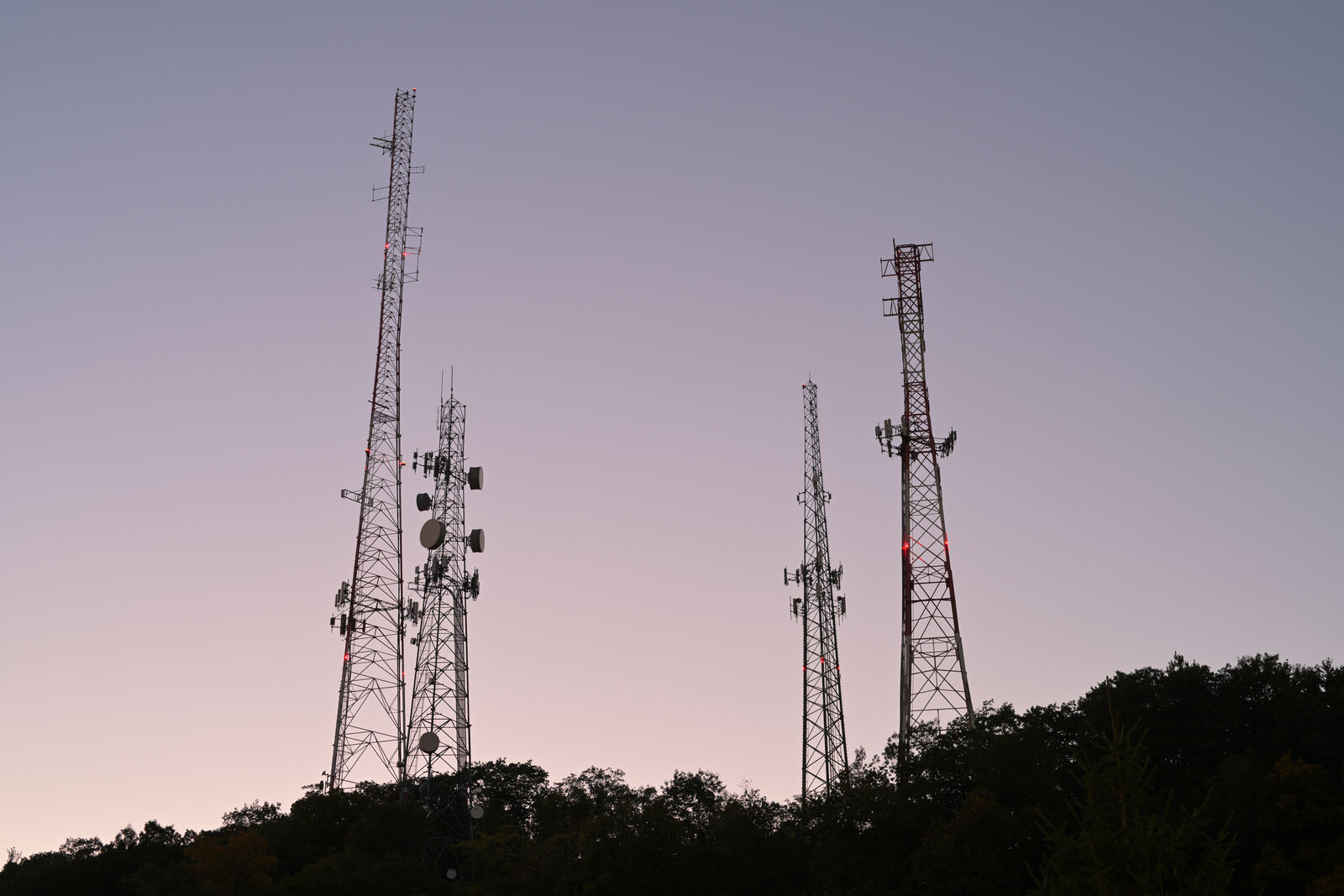
The reason a licensed ham with a pocket-sized 5-watt handheld can chat across an entire metro area is not power, it is repeaters. Understanding how ham radio repeaters work is the single biggest thing separating a frustrated beginner who "can't reach anyone" from an operator making daily contacts across 40 miles.
This guide explains repeaters in plain English: what the input and output frequencies are, what an offset really means, why so many repeaters need a CTCSS/PL tone, how to find them on RepeaterBook, and exactly how to program one and make your first call.
What is a repeater, and why it matters
A repeater is an unattended, automated relay station. It sits somewhere high, a tower, a tall building, or a mountaintop, and does one job extremely well: it listens on one frequency and, at the same instant, re-transmits everything it hears on a second frequency using high power and a big antenna up in the clear.
Because the repeater owns the height advantage, your handheld only has to reach the repeater, not the person you are talking to. Two operators 40 miles apart who could never hear each other directly can talk effortlessly if both are inside the same repeater's coverage footprint. That is why repeater access is the biggest range multiplier a beginner has, far more effective than buying a higher-wattage radio. If you want the physics behind that, see how far a ham radio can transmit.
Talking directly radio-to-radio without a repeater is called simplex. Talking through a repeater is duplex, because you transmit and receive on two different frequencies at once.
Input, output, and the magic of offset
Every repeater has two frequencies. The output is what the repeater transmits on, and it is the frequency you listen to and the one that gets published. The input is what the repeater listens on, and it is where your radio transmits. The difference between them is the offset (also called the shift).
Here is the key idea that confuses every beginner: you only ever program the output frequency into your radio, then tell the radio to shift by the standard offset when you transmit. Your radio handles the two-frequency dance automatically. You listen on the output; when you key up, the radio jumps down or up by the offset to hit the input.
The offset has a direction (plus or minus) and a size. In the US these are standardized by band, so you rarely have to guess:
| Band | Standard offset | Example (output / input) |
|---|---|---|
| 2 meters (VHF) | +/- 0.6 MHz (600 kHz) | 146.940 out / 146.340 in (minus) |
| 70 centimeters (UHF) | +/- 5 MHz | 444.500 out / 449.500 in (plus) |
| 1.25 meters (222 MHz) | - 1.6 MHz | 224.100 out / 222.500 in (minus) |
On 2 meters, whether the offset is plus or minus depends on where in the band the output falls (this follows the regional band plan). RepeaterBook lists the direction for you, so you never have to memorize it. On 70 cm the offset is a full 5 MHz because there is much more spectrum available.
CTCSS / PL tones: the key that opens the door
Even with the right frequency and offset, many new hams key up, talk, and hear nothing back. The usual culprit is a missing CTCSS tone, better known by Motorola's trademark PL (Private Line). Some repeaters also use a digital variant called DCS.
A CTCSS tone is a very low, sub-audible tone (typically 67.0 to 254.1 Hz) that your radio adds underneath your voice when you transmit. The repeater is programmed to ignore any signal that does not carry the correct tone. This keeps the repeater from being triggered by distant stations, interference, and noise. Think of the tone as a key that unlocks the repeater's receiver.
A few things beginners get wrong:
- The tone is on your transmit side. You must send the tone the repeater expects; if you have the wrong tone or none at all, the repeater simply will not repeat you, even though your signal is reaching it perfectly.
- You usually do not need a receive tone. Setting only the encode (transmit) tone, often labeled
TorTone, is normal. A receive tone (TSQL) is optional and can actually mute the repeater if set wrong, so leave it off unless you have a reason. - The tone is per-repeater. RepeaterBook lists it, commonly as something like "PL 100.0" or "Tone 141.3". Program that exact value.
Finding repeaters near you with RepeaterBook
You cannot use a repeater you do not know about. The go-to resource in the US is RepeaterBook (a free website and phone app), with ARRL's repeater directory as another option. Search by your city, county, or GPS location and it returns a list of nearby repeaters.
For each repeater you will get everything you need to program it:
| Field | What it means | Example |
|---|---|---|
| Output / Frequency | What you listen to and program in | 146.940 |
| Offset / Shift | Direction of the transmit shift | - (minus) |
| Tone / PL | CTCSS tone to transmit | 100.0 |
| Mode | FM analog, or a digital mode | FM |
| Status | On air, off air, coordinated | Operational |
Start with strong, nearby FM analog repeaters. Avoid digital-only repeaters (DMR, C4FM/Fusion, D-STAR) until you have a radio that supports that specific digital mode, an analog handheld cannot use them. Also look for a busy, well-known local repeater or an active club, since those are the friendliest places to make a first contact.
How to program a repeater into your radio
You can program a repeater by hand from the front panel, but it is far easier and less error-prone to use software like CHIRP on a computer. For step-by-step CHIRP instructions on a budget radio, see our guide to programming a Baofeng with CHIRP.
Whichever method you use, you are entering the same five pieces of information from RepeaterBook:
- Receive (RX) frequency = the repeater's published output, e.g. 146.940.
- Offset direction = plus or minus, e.g. minus on 2 m.
- Offset size = usually filled in automatically by band (0.6 MHz on 2 m, 5 MHz on 70 cm).
- Encode tone (CTCSS/PL) = the tone value, set to transmit/encode only, e.g. 100.0 Hz.
- Name = a memorable label so you can find it, e.g. "W1ABC 146.94".
Save it to a memory channel. When done correctly, your radio shows the output frequency while listening and silently shifts to the input frequency with the tone attached the moment you press the transmit button.
Making your first call on a repeater
Once programmed, using a repeater is simple, and the etiquette is easy. First, listen for a minute to make sure you are not interrupting a conversation. To confirm you can hit the repeater, you can briefly key up and unkey; hearing a short courtesy tone or tail of static back means the repeater heard you and repeated.
To join or start a conversation:
- If it is quiet and you just want a contact, key up and say your callsign plus "monitoring" or "listening", for example: "KC1XYZ monitoring." Someone in range may answer.
- If two people are talking, wait for a pause, then simply say your callsign to break in. Do not say "break" unless you have emergency traffic.
- Leave a gap of a second or two before you reply after someone unkeys. This lets the repeater reset and lets others break in.
- Identify with your FCC callsign at least every 10 minutes and at the end of your exchange, as the rules require.
That is genuinely all there is to it. Repeaters are where most new hams have their first real conversation, and local operators are usually welcoming to newcomers who are polite and give their callsign.
Why can't I hit the repeater? Common fixes
If you hear the repeater fine but cannot get it to repeat you, the problem is almost always in your transmit setup or your position. Work down this checklist:
| Symptom | Likely cause | Fix |
|---|---|---|
| You hear the repeater but it never repeats you | Wrong or missing PL/CTCSS tone | Set the exact encode tone from RepeaterBook |
| Nothing works at all | Offset wrong or set to simplex | Confirm the plus/minus direction and offset size |
| You get in from some spots but not others | Too far or blocked terrain | Get higher, move to a clear line of sight, upgrade the antenna |
| Scratchy or dropping in and out | Weak signal reaching the input | Better antenna, more height, or a closer repeater |
| Accidentally set a receive tone | TSQL muting the repeater's audio | Turn off the RX/decode tone, keep only encode |
Two truths cover most failures. First, the tone and offset must be exactly right, because the repeater silently ignores you otherwise. Second, if the tone and offset are correct and you still cannot get in, it is a coverage problem, and the answer is height and antenna, not more watts. A roll-up J-pole tossed a few feet up a tree often turns a dead repeater into a solid one.
Repeaters and your license
Repeaters live on the 2-meter and 70-centimeter bands, both squarely within US Technician privileges, so a Technician license is all you need to use the vast majority of them. The band edges, power limits, and where repeater sub-bands fall are laid out in our Technician band plan guide.
You must have a valid FCC license and use your assigned callsign to transmit through any repeater, even to test whether you can reach it. Listening to a repeater is license-free and a great way to learn local etiquette before you key up, but the moment you transmit, the rules apply. If you have not tested yet, start with how to get your Technician license.